
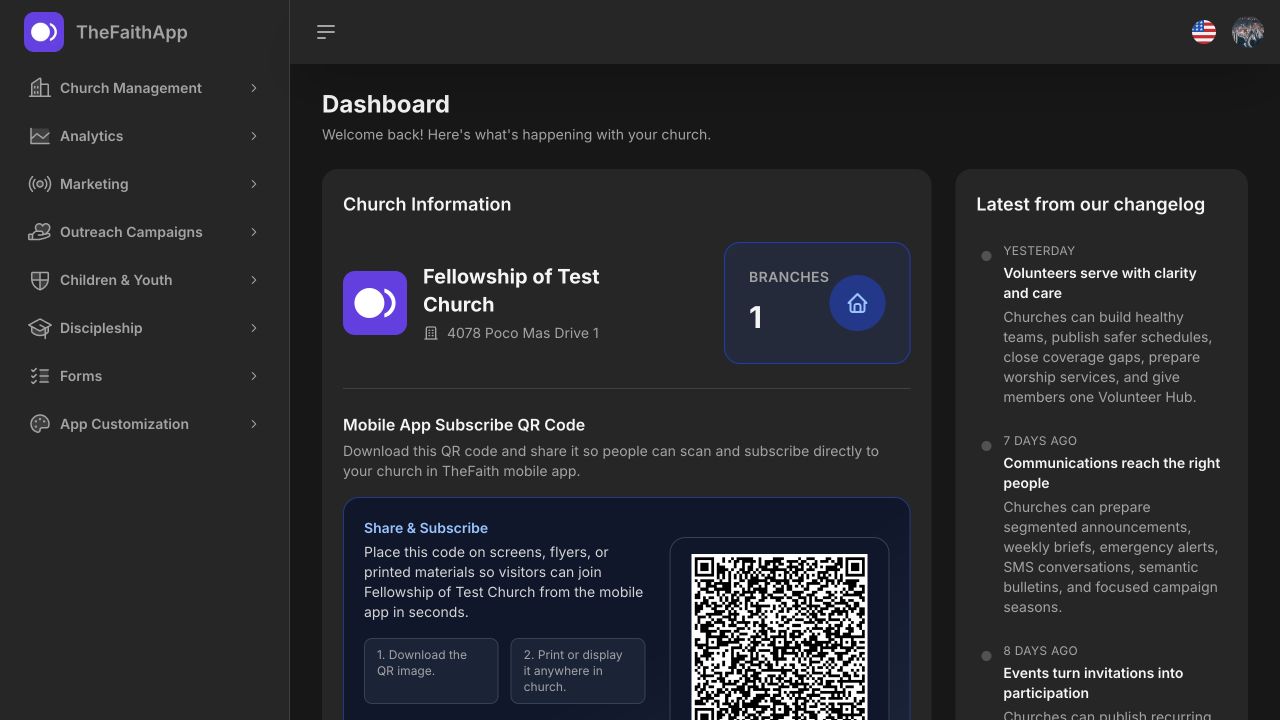
People and households
Keep member, family, branch, and group information organized without losing the human story.
Keep member and household records, assign visitor follow-up, and organize groups, events, and volunteers in one workspace. Small churches can start with free core management for up to 100 members.
Core church management is free for up to 100 members. Product and usage limits apply. · View pricing
What your team can do
Keep your directory, visitor next steps, events, teaching, and care connected so the responsible team can see what needs attention.
Keep member, family, branch, and group information organized without losing the human story.
Bring first-time guests into a clear inbox, assign next steps, and keep care visible.
Plan recurring church life, registrations, attendance, and reminders from one calendar.
Publish opportunities, build teams, schedule services, and spot coverage gaps early.
Publish sermons, devotionals, bulletins, and livestreams so the message lasts beyond Sunday.
Coordinate prayer requests, pastoral attention, funds, and donor records with appropriate access.
Is it right for your church?
TheFaithApp fits churches that want a shared member directory, visible visitor follow-up, and a connected place for weekly ministry work. Small churches can begin with the Free plan; growing teams can compare capacity before choosing a paid plan.
Review the product screenshots and setup guide with a practical scenario in mind: adding your existing member records, assigning a first-time visitor's next step, or coordinating an event with your serving team.
Start with a free visitor follow-up plan to agree on the welcome, timing, and responsibilities your team wants to keep connected.
Before someone shares a prayer request, explain who can read it, what anonymity means, and how review works. Prayer request audiences and review (English).
Explore the productCount stored member profiles, excluding deleted profiles, rather than Sunday attendance. In a fictional example, a church with 95 stored profiles that imports 5 more reaches the Free plan’s 100-profile limit.
Compare current plans and allowancesChurch management questions
Comparing your options? Read the church management software comparison (English) or the small-church software buyer guide, then explore the product with your own workflow in mind.
Yes. Core church management is free for churches with up to 100 members, 3 staff administrators, and 1 branch. Wider products have starter allowances, and optional add-ons and external services cost extra. Check current pricing before choosing a plan.
Review member management separately from SMS delivery and online giving. Match your member, staff and branch counts to the plan, then confirm your team’s language and device needs before rollout.
For SMS, use your church’s Twilio account and check destination availability, sender requirements and delivery charges. Review SMS setup and costs.
For giving, confirm that your church is eligible to receive payments in its country with the selected provider. Check account requirements, payment methods, currencies, fees and settlement terms. Review online giving setup.
For example, a church in Uganda should verify its own payment connection and the currency it will receive before offering mobile money giving. A provider’s published country coverage alone does not confirm a working TheFaithApp connection. Use the same checks for every country where your church operates.
Compare the work your team does each week: keeping member and household records accurate, organizing groups, assigning visitor follow-up, and planning events and volunteers. Check member, staff, and branch limits alongside add-ons and external costs. Confirm which records you can export and who can see private information. Use the same practical scenario when reviewing each option so you can judge the fit for your church. Record each walkthrough with the church management software evaluation checklist.
Name an owner for member records and agree who may view, change or export them. Review access when responsibilities change, and set retention rules for each type of record under your church’s policies and applicable local requirements. Work through the church data privacy framework.
After church access is approved and your administrator account is set up, add people one at a time from the Members list. A CSV is optional. You can save a member record without sending an invitation; choose a welcome invitation only when the person is ready, with an email address for delivery. Your plan’s member limit applies to saved records, including those not yet invited. See the member-entry steps (English).
You can import members from a CSV file, map columns, and review import results and history. Prepare your records using the member import and migration guide (English). Full data export is included on the Free plan.
Before moving a spreadsheet, agree on a field map and test a small, approved sample. Review excluded rows and test what both an administrator and a limited-permission account can see before the full move. Plan giving history and confidential care notes separately. Use the church database migration checklist.
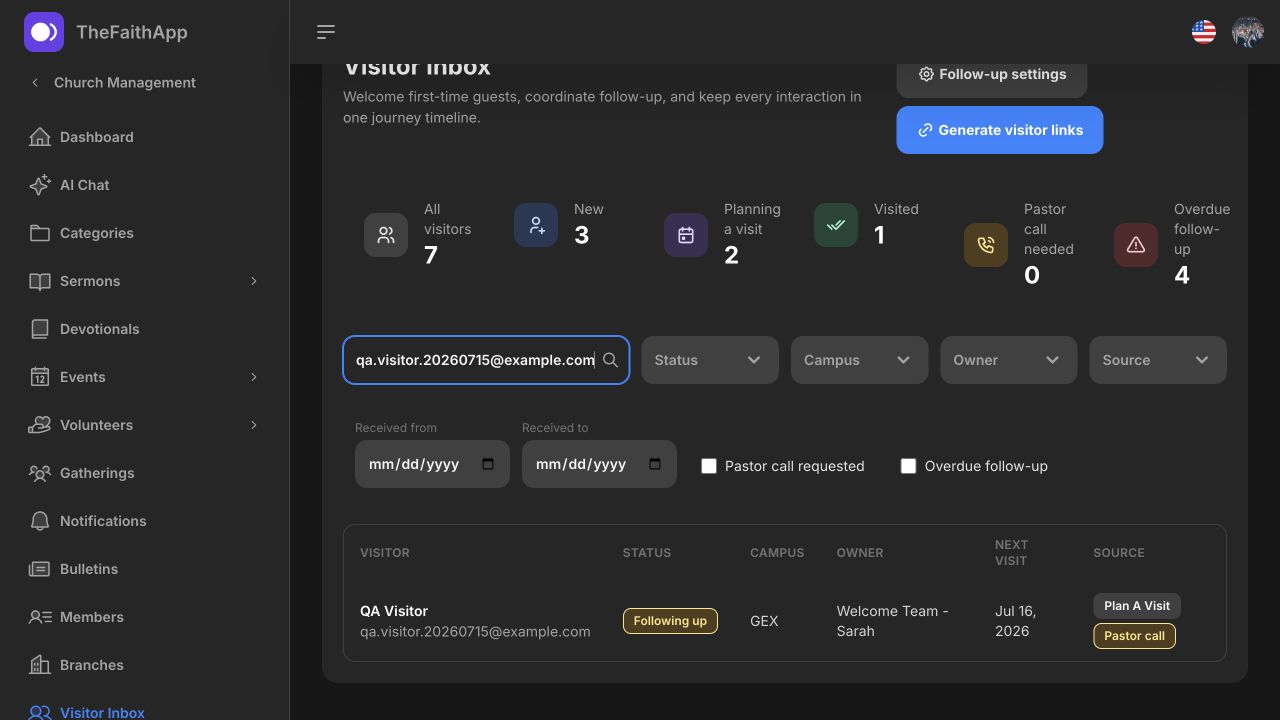
The Visitor Inbox keeps a visitor's journey status, follow-up owner, source, and next planned connection visible. Your team can assign responsibility and review outstanding next steps rather than keeping follow-up in separate spreadsheets.
The connected Forms product collects responses, and events support registration. Forms have their own plan limits: the Free plan allows 3 active published forms and 100 responses per month. Explore Forms and review the workflow before rollout.
Review product details or open the demo dashboard sign-in.
Watch the 88-second account-setup walkthrough to see the access request, private invitation, registration and first dashboard. The English video uses fictional details and AI narration.
When you are ready, request access. Requests are reviewed, and approved churches receive a private account-setup invitation. Downloading the church member app does not create a church-admin account.
Choose one workflow, prepare its records, and agree on team handoffs before expanding. Plan your first 30 days (English).
Visitor follow-up and member records
Use Visitor Inbox to record a guest’s request, permitted contact method and next responsible person. When the relationship is ready for a member record, review possible matches and carry the next action into the member profile. Keep the welcome conversation and account invitation as deliberate steps.
Converting a visitor sends no account credentials and copies no contact permission to the member record. In Members, staff can save a new record without an invitation or deliberately choose a welcome invitation. Sending one requires an email address; check the person’s readiness and current contact choices first. Your plan’s member limit applies to saved records.
Assign follow-up on a member profile records a staff task. It does not send a message or place a call; the assigned person carries out the action and records the result.
Keep public arrival information separate from staff follow-up context. On member profiles, choose staff or pastoral note visibility; pastoral notes require the Pastoral Care permission. Avoid placing sensitive pastoral details in a general handover note.
The member-facing directory has its own visibility settings. Contact fields are private by default, children are excluded by default, and members can control their profile and field visibility. Check these settings before inviting people to use the directory.
Church events and volunteer scheduling
An event needs clear details for attendees. A serving plan needs suitable roles, preparation and real responses from volunteers. Use TheFaithApp to prepare both, then check the event occurrence and the team’s coverage before inviting people to rely on them.
Fictional example. A monthly welcome lunch has 16 places per date. With 14 places taken for November, a party of three goes on that date’s waitlist if enabled. The coordinator shares the public event link with the November date in the invitation and opens the November check-in list at the door.
Prepare an ordered run of show with songs, prayers, messages, transition cues, responsible roles and timing. Members can open the published plan from their assignment. Check that preparation links and files open and that your church has permission to use the material before sharing it.
Clearance fields record your church’s review. TheFaithApp does not perform a background check or certify a volunteer’s safety or legal eligibility. Keep sensitive eligibility and wellbeing information with authorized leaders, and use the schedule to support a human conversation and decision.
Community Groups preparation
Give each group a clear meeting plan, joining policy and responsible leader. Members find Community Groups through Connect in TheFaithApp; staff maintain the groups and review membership requests in the dashboard. Prepare the handover between those two experiences before sharing an invitation.
Church teaching through the week
Your church prepares the recorded messages and written reflections members find in TheFaithApp. Start with one message and one devotional, then check the experience your church has made available.
Keep your church’s audio and video messages in a library members can browse during the week. Add the recording, title, description, cover image and category from the web dashboard. Categories also give members a way to browse a sermon series in TheFaithApp.
Sermon AI generation tools use uploaded audio or video files; linked videos do not offer the same generation tools. Generation is part of the optional Digital Ministry Assistant add-on, with one free transcript available for a church to try. Published sermon content remains available to members independently of that generation entitlement. Review current allowances before planning regular use.
Prepare a transcript and review its next outputs.Members use the official TheFaithApp app. Downloaded sermon audio is a specific offline feature; it does not make every video or live service available offline.
Prepare written reflections in your church’s own voice. Add the date, author, title, Bible reading, reflection and thumbnail in the dashboard. Include the prayer or confession, further-study text and tags your church wants readers to use. Recurring entries and optional notification times help your team prepare a publishing rhythm.
Devotionals are saved records rather than a private draft-and-approval workflow. Public listing uses the church’s Show All Devotionals Publicly setting and devotional dates; enabling that setting can expose future-dated entries. Finish the church’s editorial review before saving a reflection; keep unfinished or confidential material in a separate private workspace.
This is your church’s teaching, not a promise of a new reflection supplied by TheFaithApp every day. A devotional reflection and a published Bible reading plan are separate content types; use the reading-plan guide when you want ordered reading days and household prompts.
Sermon AI for church teams
Start with your church’s uploaded sermon and a checked transcript. TheFaithApp can help prepare a summary, discussion questions, translated text, communication drafts or video clips. Choose the next step your church needs, then review its wording and audience before sharing.
Generating material and making it available to members are separate steps. Transcription quality varies with the language and recording. Choose from the translation languages offered in the dashboard and review the result before publishing it.
Published sermon material remains available to members independently of the generation add-on. Assistant reply credits and sermon transcription minutes are different allowances; check the current add-on and your church’s account before committing to regular generation.
Inside Church Management
Move from a broad overview into the real work your teams do throughout the week.
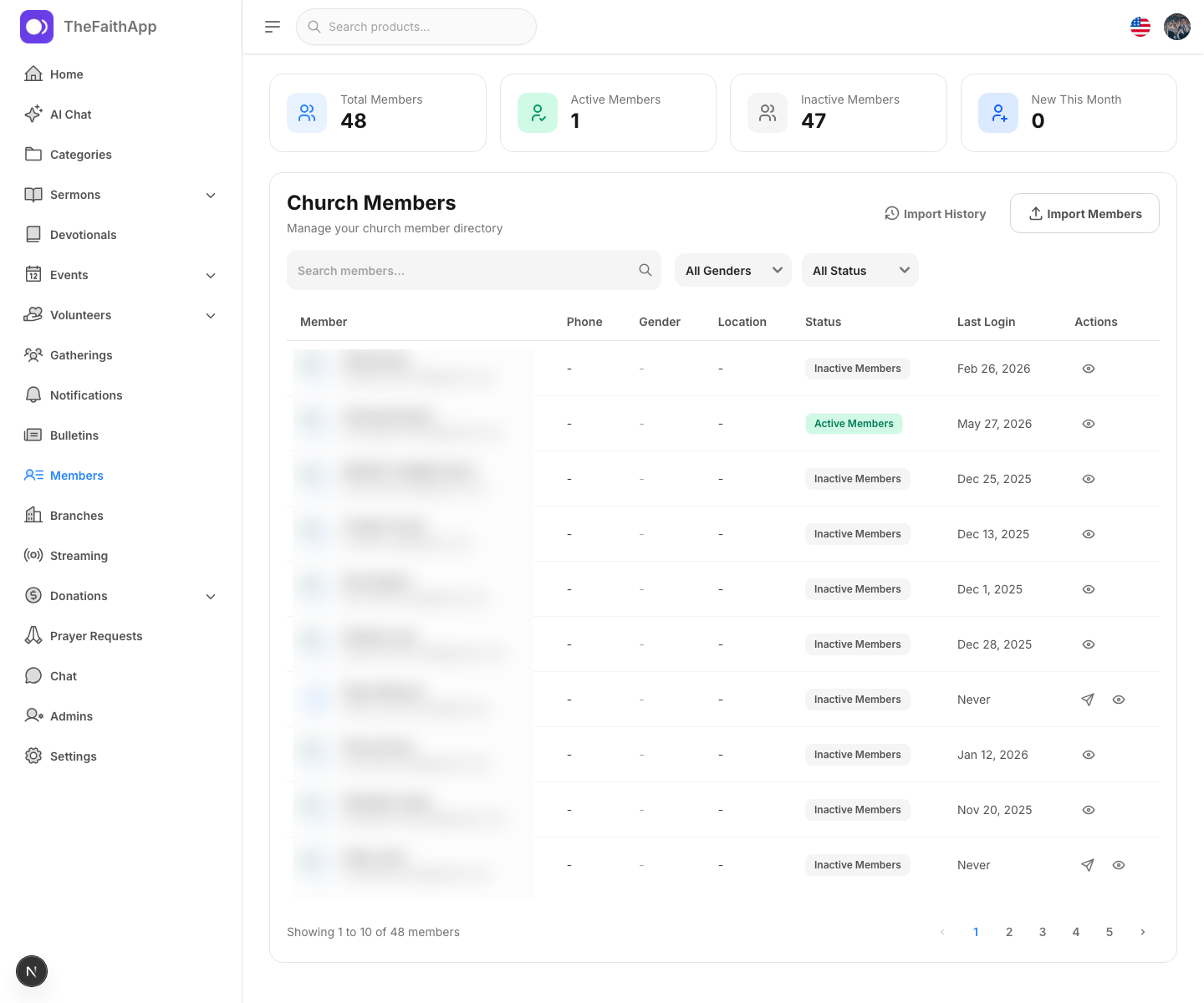
Search members, households, branches, groups, and engagement context from one directory.
 Enlarge screenshot
Track journey status, follow-up ownership, source, and the next planned connection.
 Enlarge screenshot
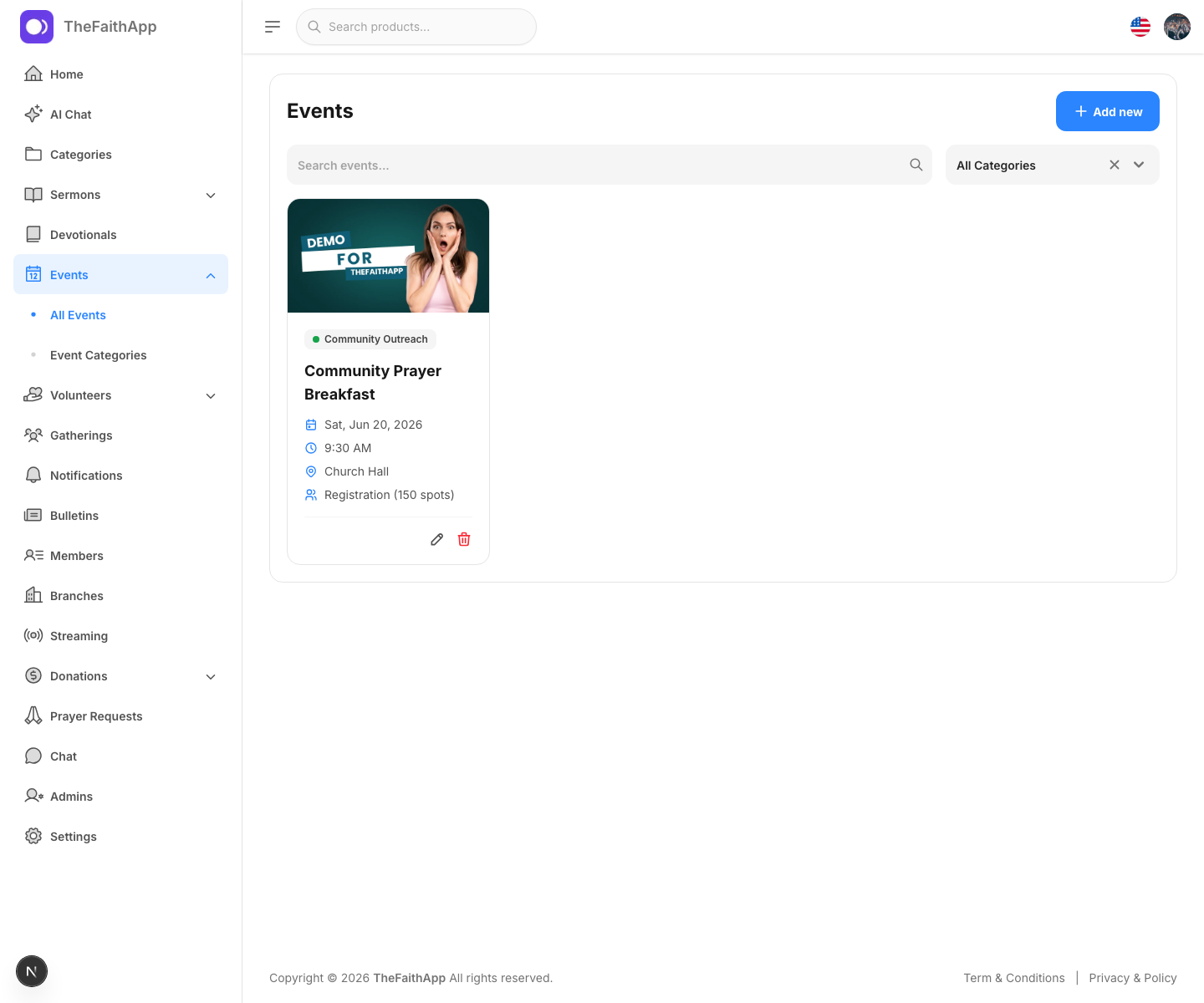
Keep registrations, dates, teams, and communication connected to the wider church calendar.
 Enlarge screenshot
Publish opportunities, organize roles, and see where coverage still needs attention.
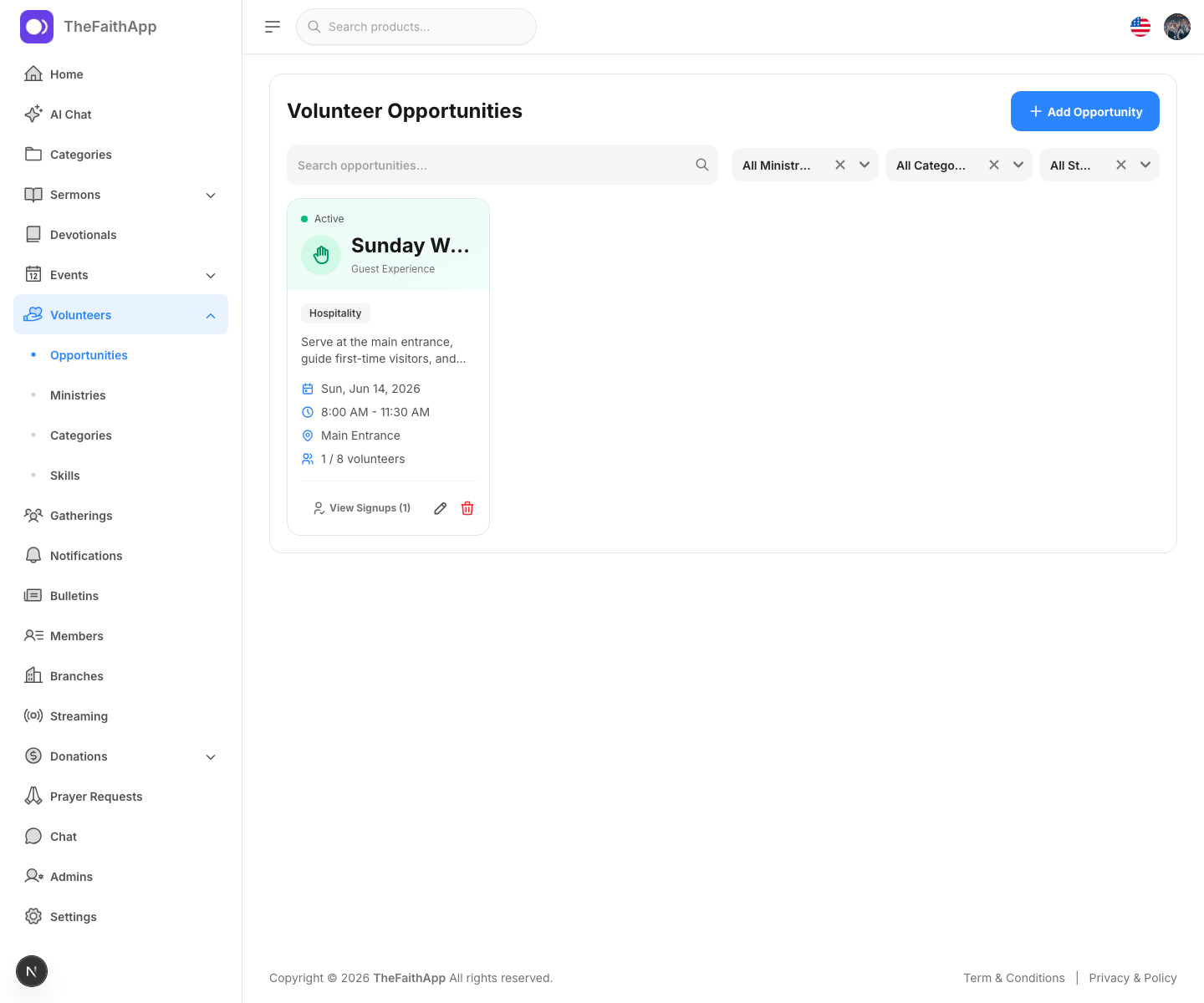 Enlarge screenshot
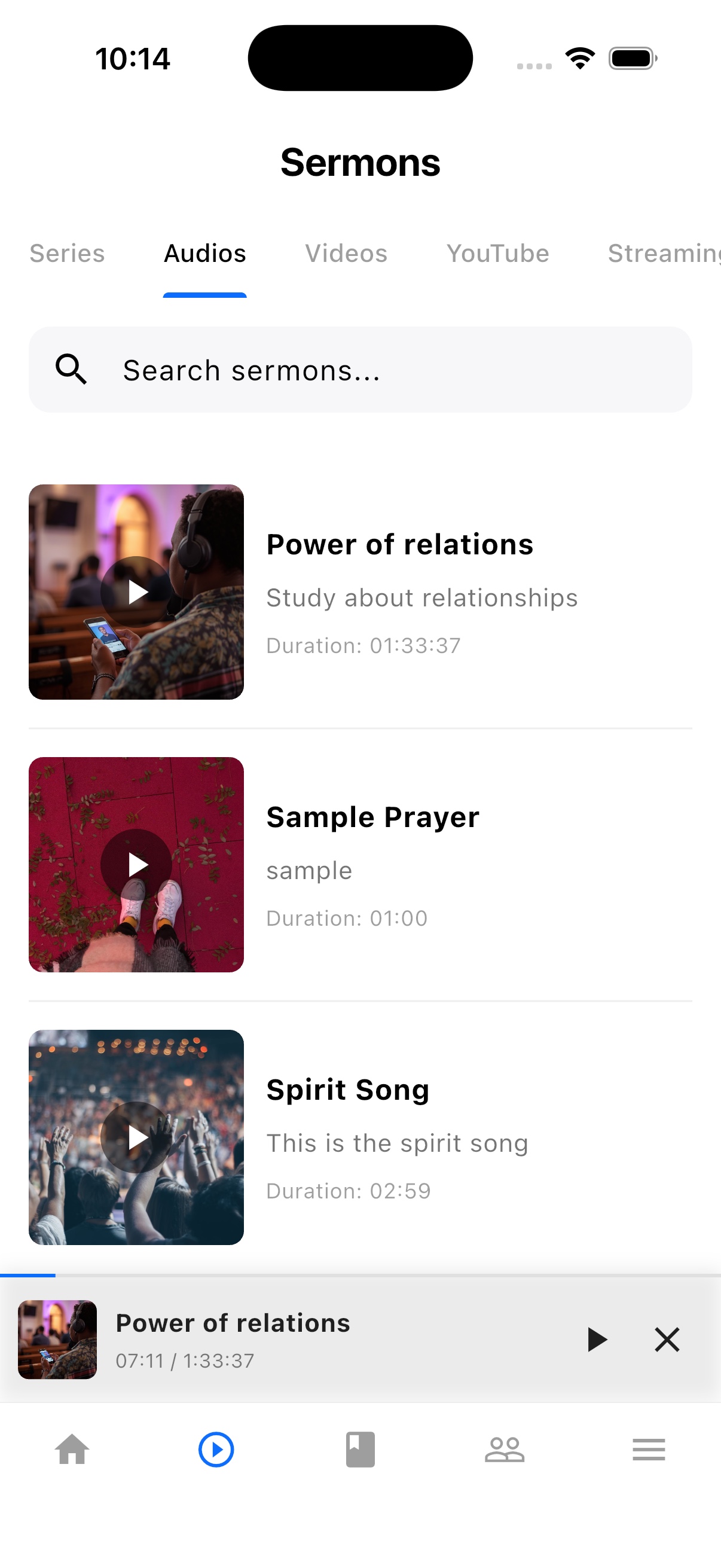
Manage searchable video and audio sermon libraries from the same workspace.
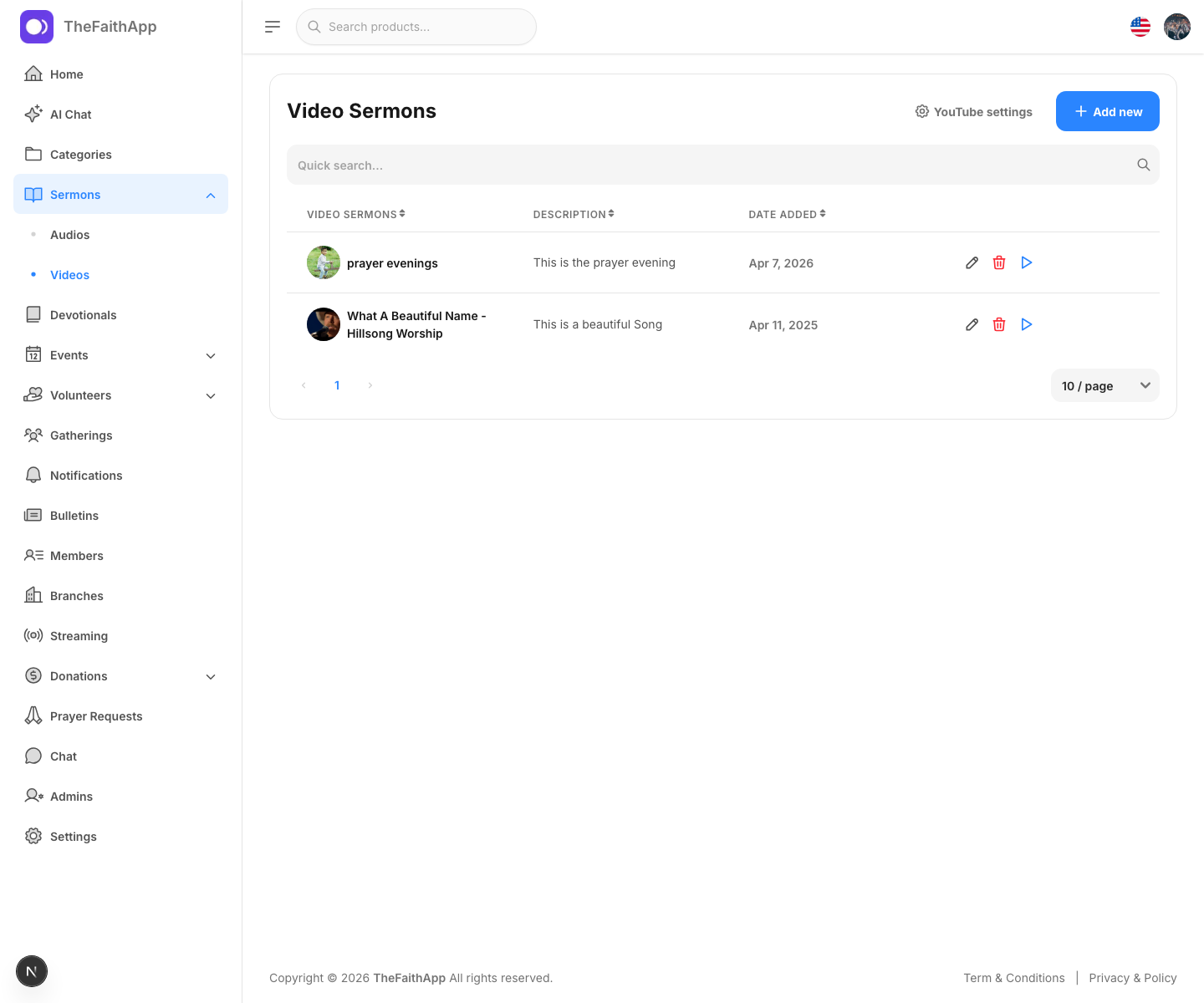 Enlarge screenshot
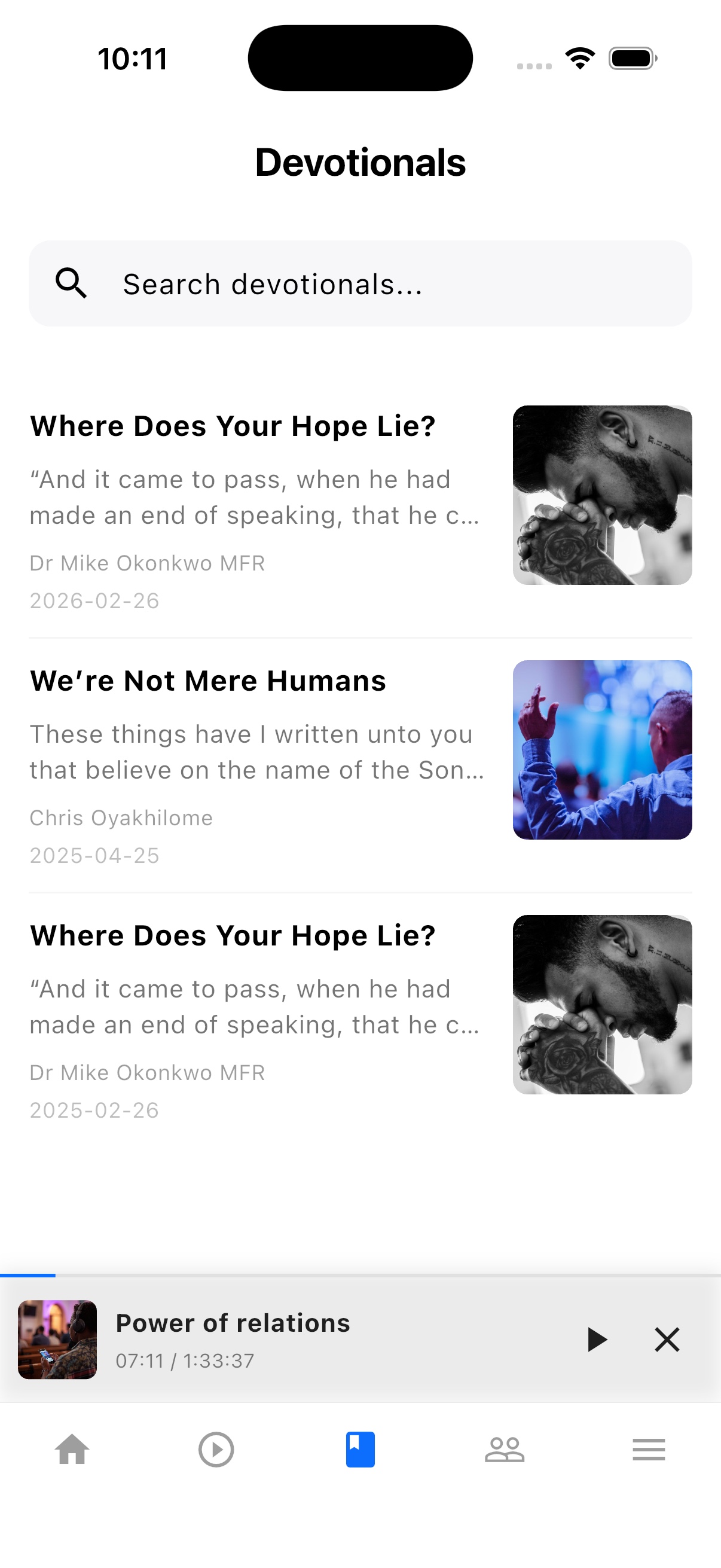
Prepare and publish devotionals that are available wherever members use TheFaithApp.
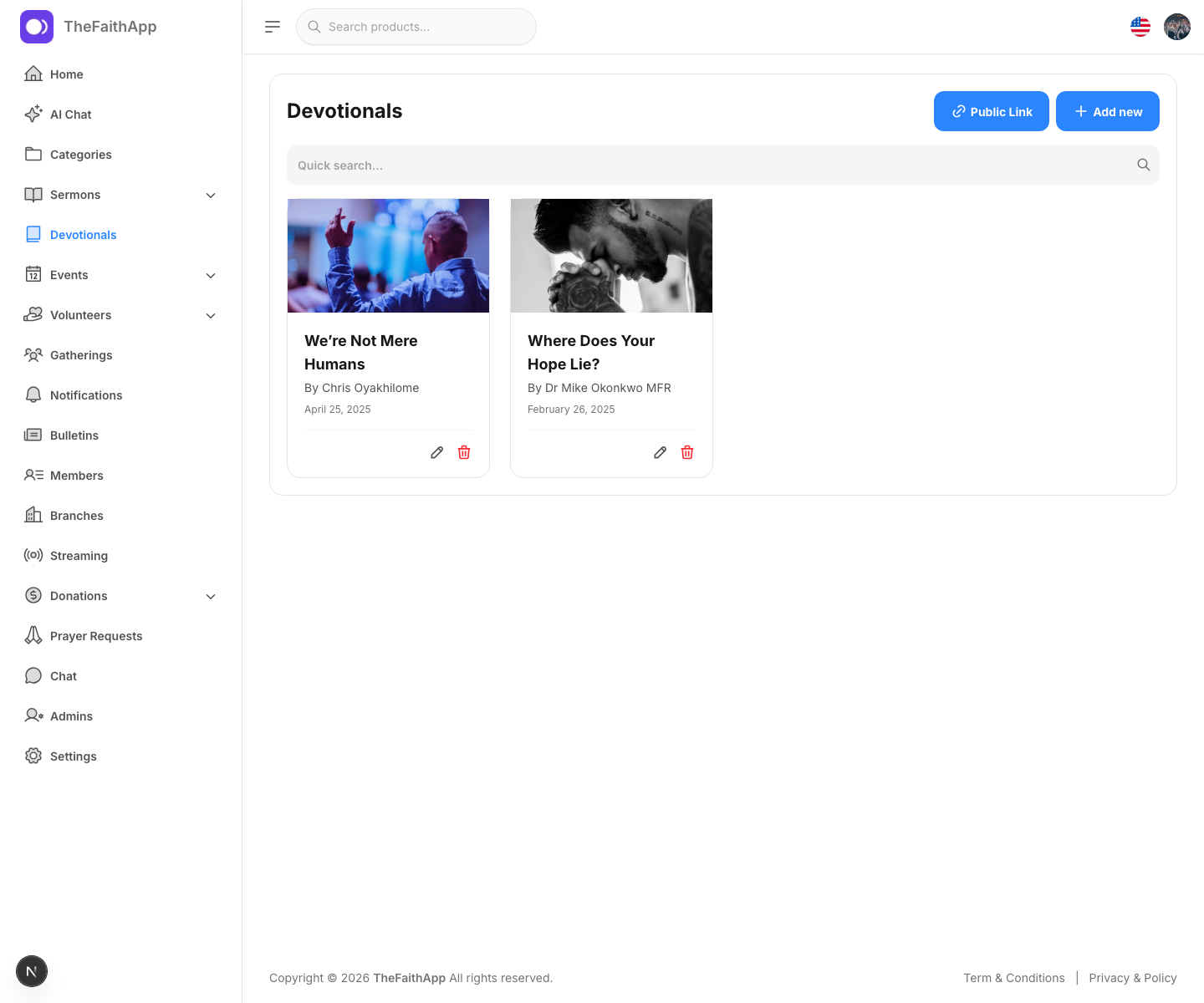 Enlarge screenshot
Review requests, assign pastoral attention, and keep sensitive work appropriately restricted.
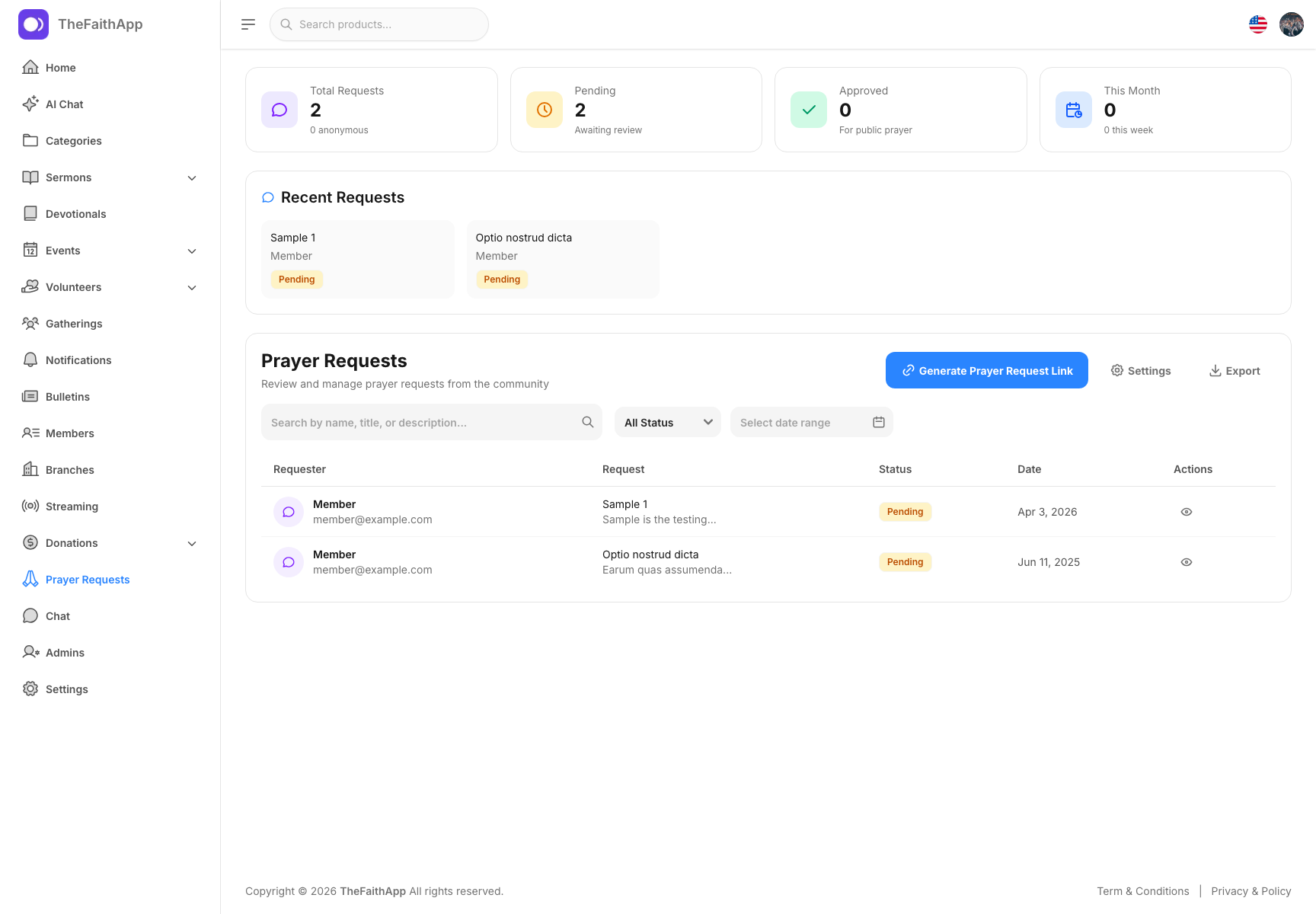 Enlarge screenshot
Use the optional Digital Ministry Assistant to find information and draft everyday church content.
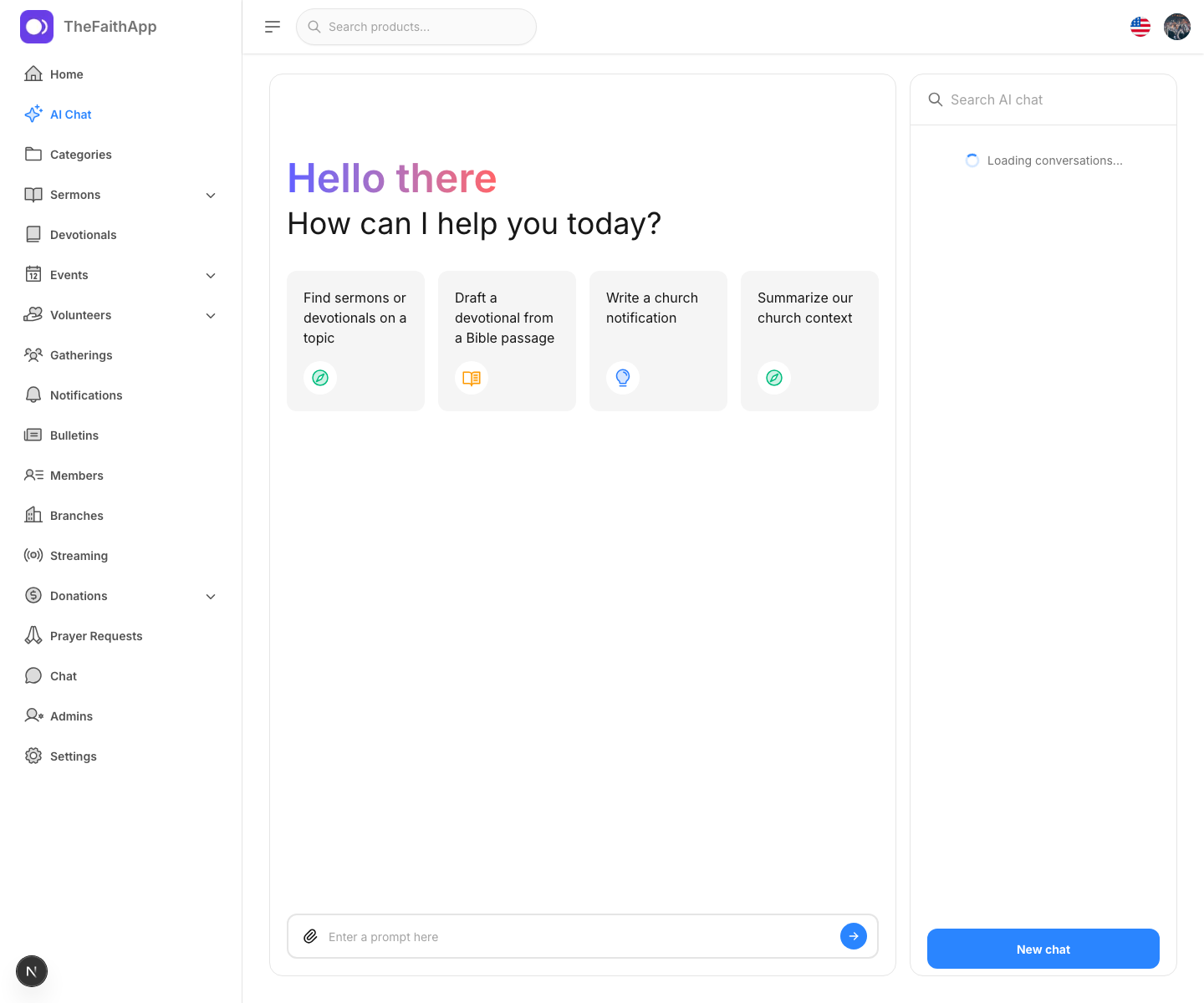 Enlarge screenshot
Built into the product
Publish video and audio sermons, organize devotionals, and make teaching easy to find long after Sunday.
A simple ministry rhythm
Import or add people, households, branches, groups, and ministry records.
Coordinate gatherings, events, volunteers, communication, and content.
Follow visitors, prayer, giving, and pastoral needs without scattered spreadsheets.
For church members
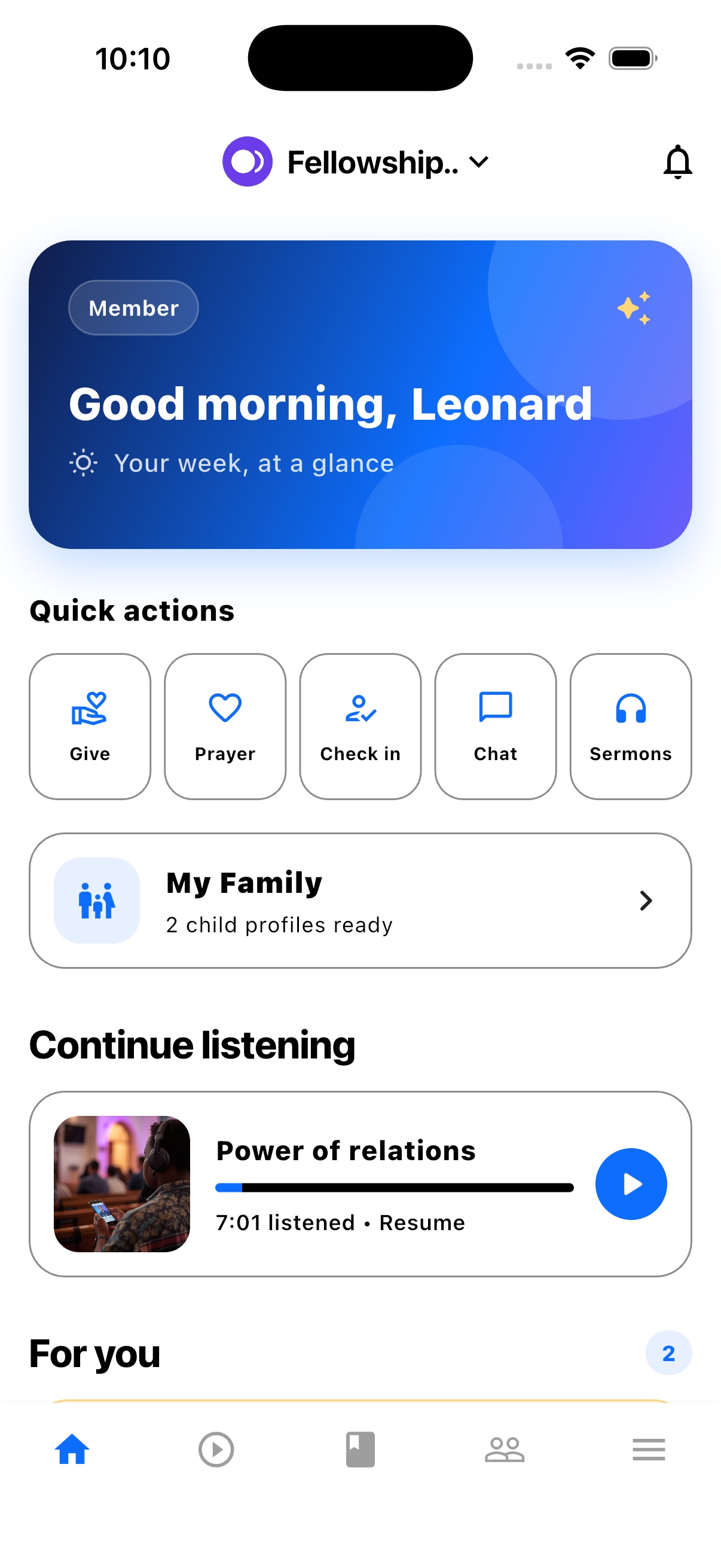
TheFaithApp is the member app connected to your church. Download it for iPhone or Android to find your church's sermons, devotionals, updates, and events in one place.


Explore the member app features
For church administrators
Manage your church in the web dashboard. Setting up a new church? Request access for review before setup.
Guides and next steps
Compare church management options, prepare your records, and plan a welcome your team can follow through.
One platform. Built around real ministry.
Review product screenshots and setup guidance, then request access to begin with the workflows your church needs.
Chat could not load. Email support
Chat with us